
To connect to an exchange account and perform various operations in Nexus Trader, follow these steps:
1️⃣ Open Accounts Section
From the left toolbar, click the hamburger icon to open the Accounts window.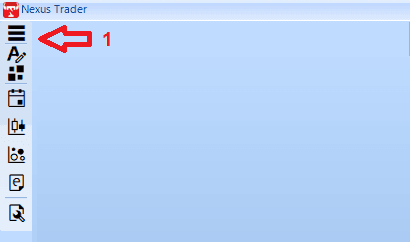
2️⃣ Select Market Type
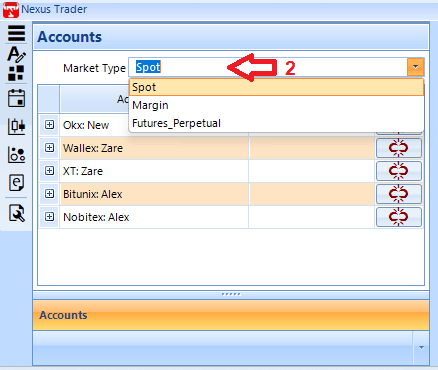
At the top of the page, choose your desired market type from the Market Type dropdown menu:
- Spot: Spot market
- Margin: Margin trading
- Futures_Perpetual: Perpetual futures trading
3️⃣ Connect to Exchange
Click the Connect button to establish a connection with the exchange.
In the account list, if the connection is successful, a green icon will appear and the Ping Latency time will be displayed.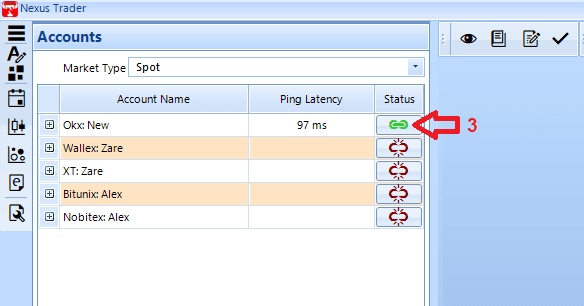
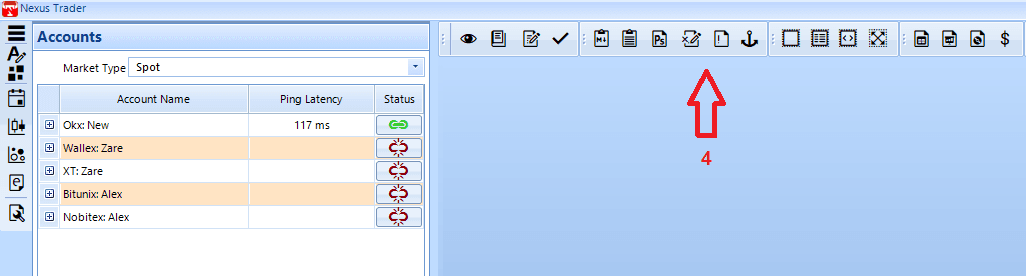
- As shown in the image, once the exchange is connected, the exchange toolbar becomes active.
- By clicking on the tools in the exchange toolbar, the related operation windows will open.
- The windows can be moved and arranged freely as you wish.
👉 Note: If the connection status is shown in red, it means there is a connection issue with the exchange. In this case, check your API credentials and make sure your internet connection is stable.