
To delete an exchange account in Nexus Trader, follow these steps:
1️⃣ Open Settings
In the left toolbar, click the Settings icon.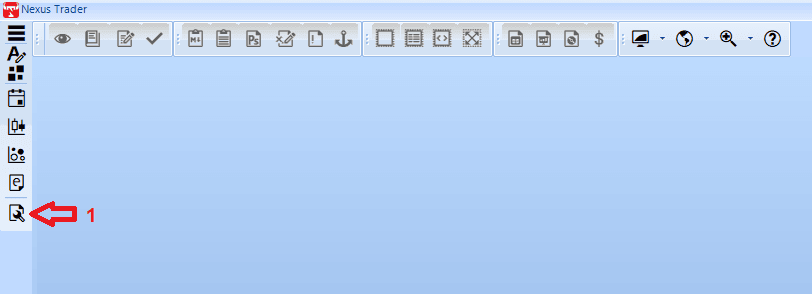
2️⃣ Select Accounts Section
In the Settings window, from the left menu click Accounts.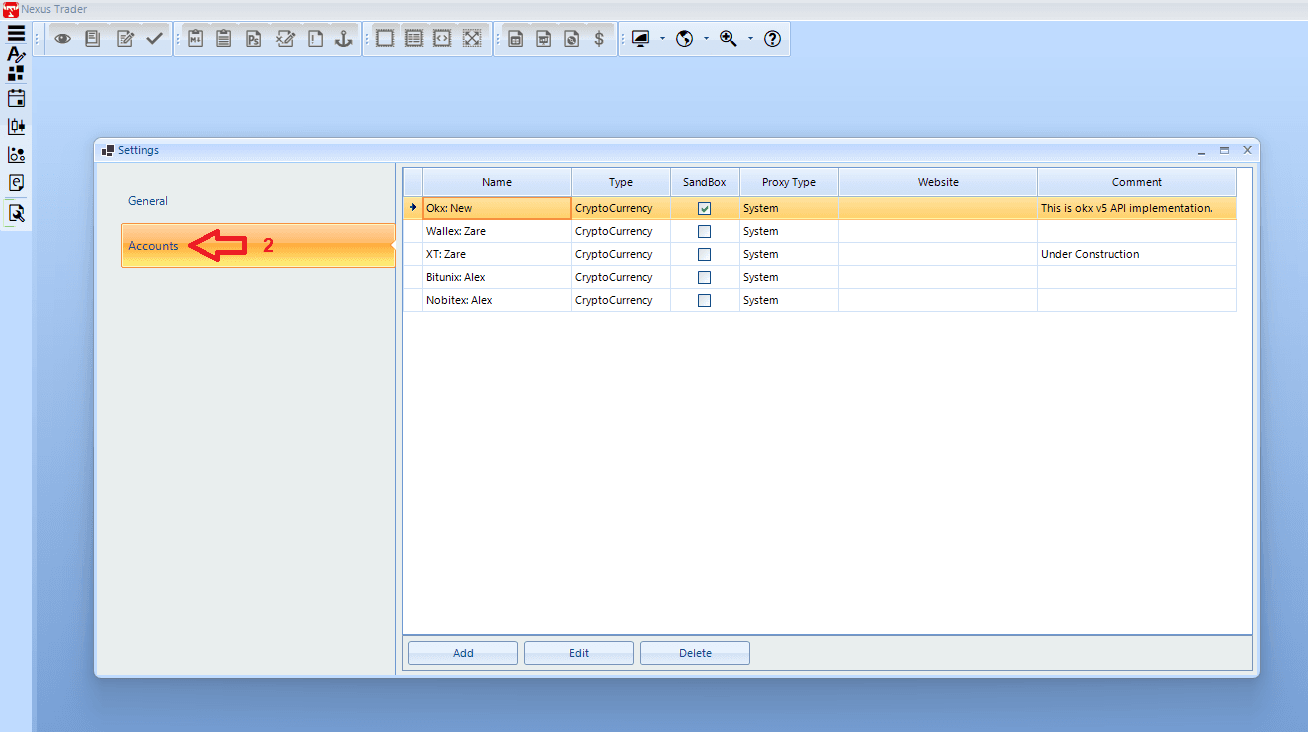
3️⃣ Choose the Exchange
From the list of accounts, select the exchange you want to delete (e.g., OKX).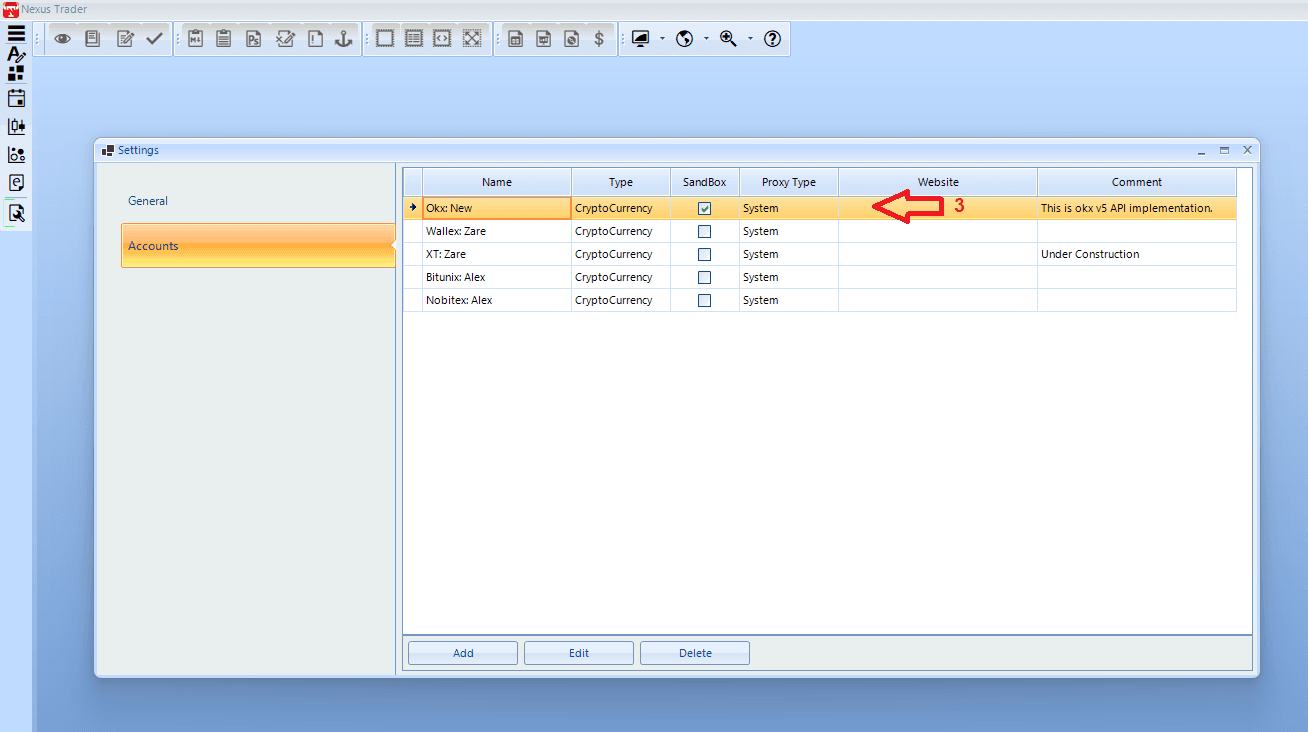
4️⃣ Enter Delete Mode
At the bottom of the page, click the Delete button.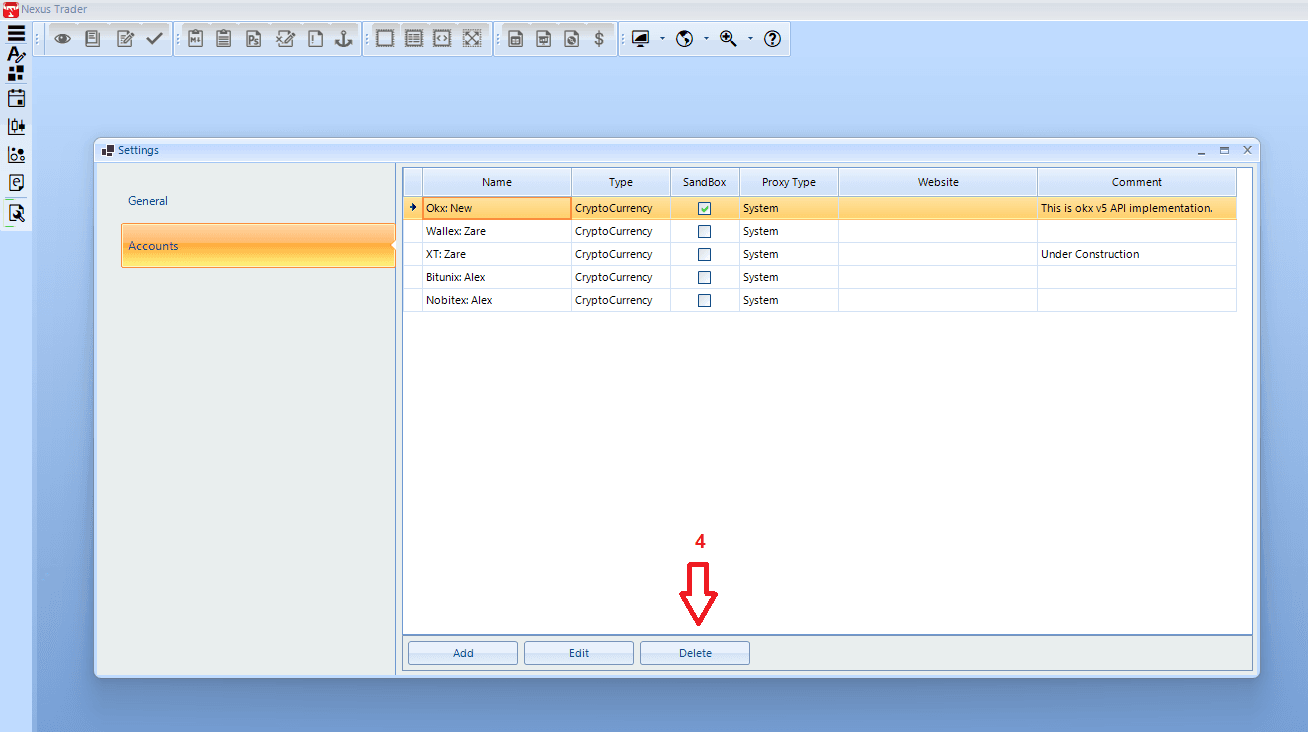
5️⃣ Confirm Deletion
A warning dialog will appear. Click Yes to confirm the deletion.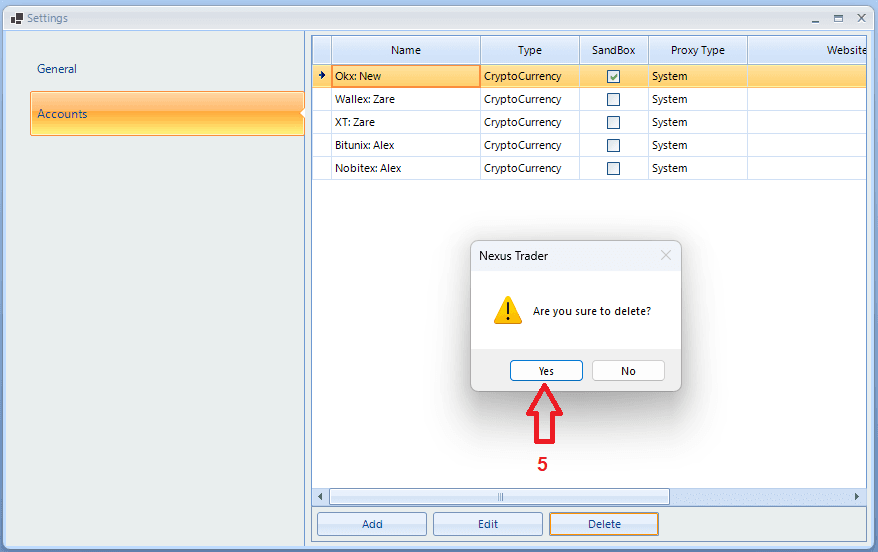
👉 Note: After deletion, all API information for that exchange will be removed from the program. To use it again, you will need to add the account once more.
👉 Note: To apply the changes, you must close the application and log in again.