
To edit an exchange account in Nexus Trader, follow these steps:
1️⃣ Open Settings
In the left toolbar, click the Settings icon.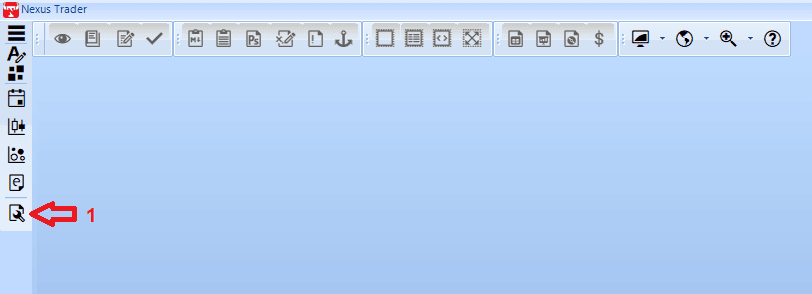
2️⃣ Select Accounts Section
In the Settings window, from the left menu click Accounts.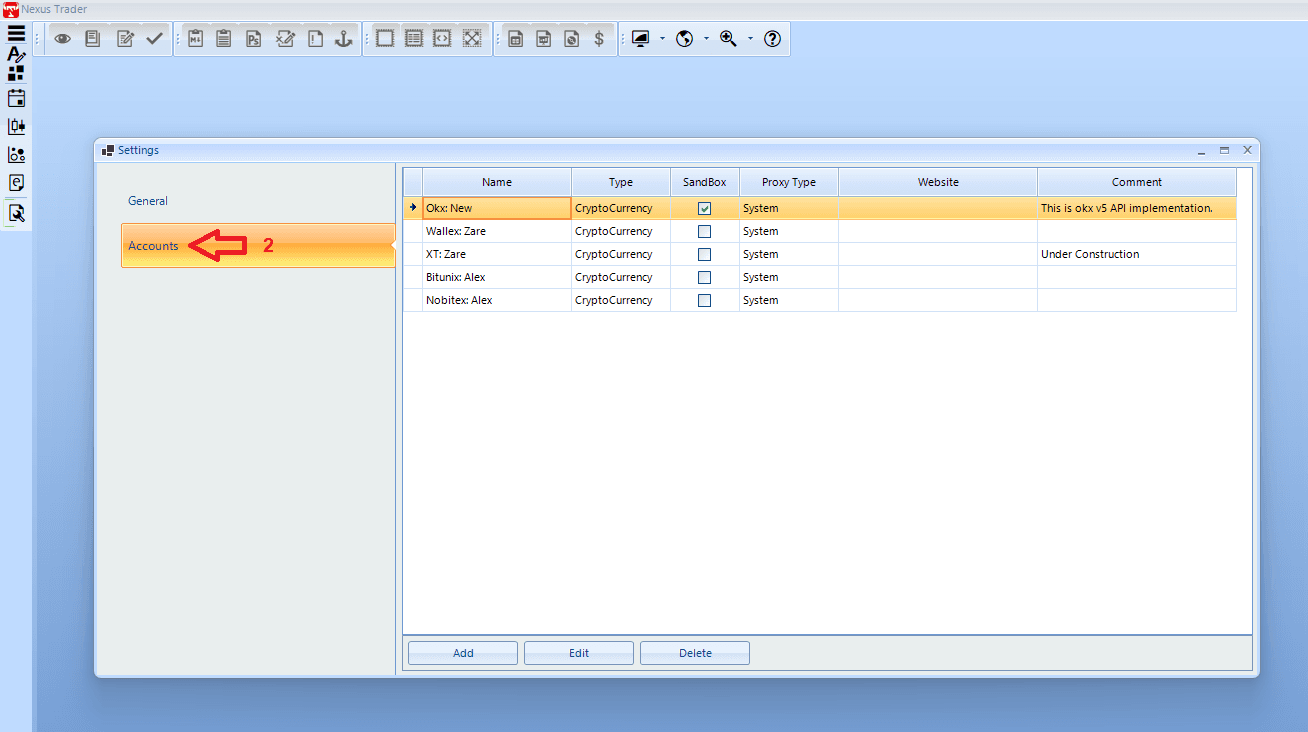
3️⃣ Choose the Exchange
From the list of accounts, select the exchange you want to edit (e.g., OKX).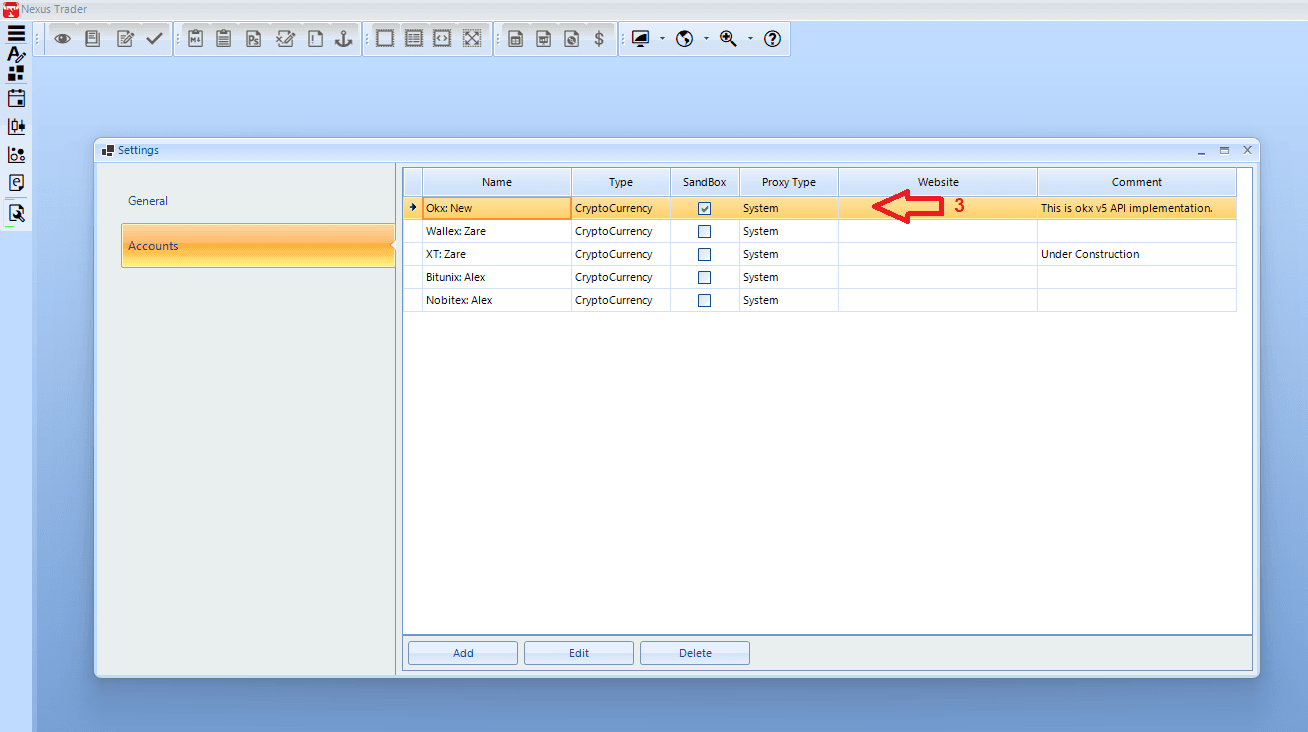
4️⃣ Enter Edit Mode
At the bottom of the page, click Edit to open the edit account form.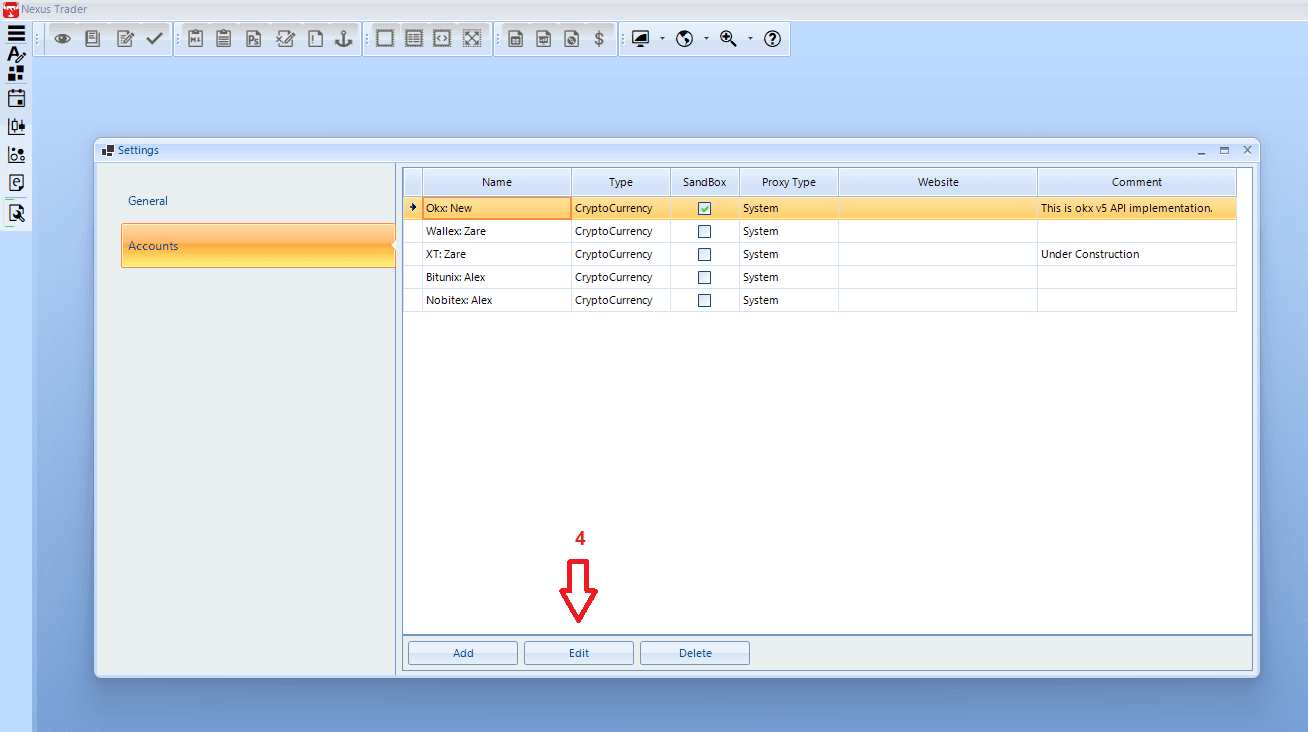
5️⃣ Edit API Information
In the Edit Account window, you can change the following:
- Account type: Sandbox (test) or Real Account (live)
- Account Name: your custom account name
- API Key: the API key from the exchange
- Secret Key: the secret key from the exchange
- Password (if required): API password or 2FA password
6️⃣ Save Changes
After making changes, click Save to update the account.
👉 Note: Make sure the API Key and Secret Key are valid. Also ensure the account type (Real or Sandbox) matches the settings at the exchange.
👉 Note: To apply the changes, you must close the application and log in again.